
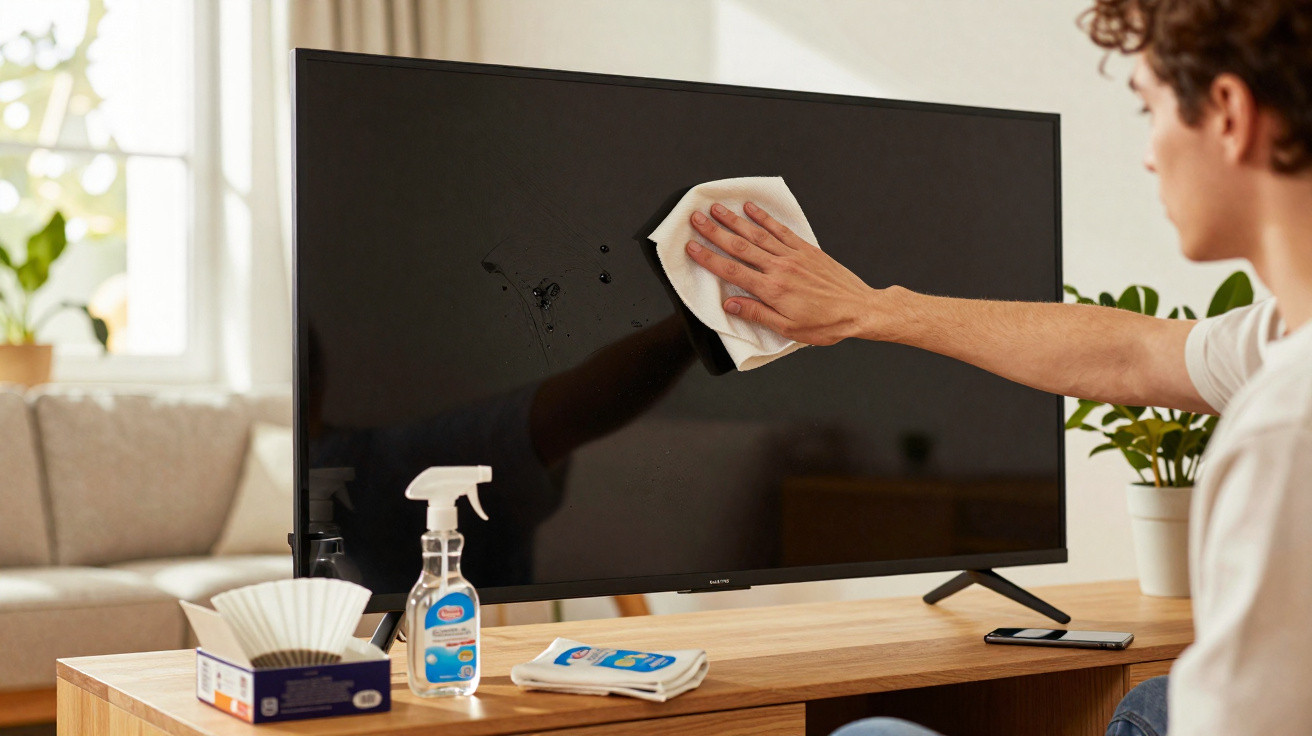
Many people reach for glass cleaner, kitchen roll or pricey specialist cloths - then later wonder why there are fine scratches or a dull-looking display. The fix is, quite literally, sitting in the kitchen cupboard: an unassuming disposable item costing just a few pence can clean your TV, laptop and smartphone gently yet surprisingly thoroughly.
Why modern screens start to look grubby so quickly
Leave a television or monitor untouched for just a few days and you’ll notice it straight away: a grey haze seems to sit over the image. There’s a simple physical reason. The surface of a display builds up an electrostatic charge and effectively becomes a dust magnet. In winter, when indoor air tends to be drier, this effect is noticeably stronger.
Fingerprints add to the problem. Every tap leaves behind grease, tiny bits of skin and minute traces of dirt. On touchscreens you handle dozens of times a day, that gradually turns into a real film of smears. This mix of dust and grease leads to:
- reduced sharpness and lower contrast,
- stronger reflections in daylight,
- unsightly streaks that often just get spread around when you wipe.
Many people then react in exactly the wrong way: they spray on glass cleaner, rub with kitchen roll, or use alcohol-based wet wipes. The screen may look clean for a moment - but the hidden risk is significant.
What harsh cleaners can do to your television
LCD, LED and OLED panels have delicate surface layers. These can include anti-reflective coatings, protective films and, in some cases, colour filters. For good reason, manufacturers repeatedly warn in their manuals against alcohol, ammonia and aggressive household cleaners.
Products like these can dry out the surface, leave it looking matt, or even cause discolouration. Fine micro-scratches are also often down to the wrong cloth: kitchen roll, tissues or old cotton rags are rougher than they appear. Rather than lifting dirt away, they can drag it across the panel like an abrasive.
“The damage creeps up: at first everything looks fine, but after months the picture suddenly seems dull, blotchy and less vivid - and many people don’t realise they ‘cleaned’ it into that state themselves.”
The good news is that you don’t need chemicals or specialist kit for a proper clean. A classic kitchen staple that most households already have is entirely sufficient.
The unexpected star: what a coffee filter can do for your screen
It sounds almost too simple: a paper coffee filter is excellent for cleaning televisions, monitors and smartphones. Ideally, use unbleached versions, which are widely available in supermarkets.
The reason is the filter paper’s very fine, even structure. It feels soft, won’t scratch, and doesn’t contain coarse fibres. At the same time, it’s highly absorbent. That means it lifts dust and grease away instead of pushing them around.
Compared with many cloths, it offers a few more advantages:
- No fluff: unlike kitchen roll, a filter leaves virtually no particles behind.
- No additives: the paper is usually chemically neutral, with no fragrance or cleaning agents.
- Less static build-up: so less dust settles back on the screen immediately after wiping.
Cost is another area where it stands out. One filter is roughly 2p. Even if you use a fresh one every time you clean, you’ll still spend well under £1 over a year. Dedicated screen wipes can easily cost five to ten times as much per sheet, and sprays often come with a two-figure price per bottle.
“If you maintain your TV, monitor and smartphone with coffee filters, you’re not only protecting the displays - you’re also saving money over time.”
How to clean your screen properly with a coffee filter
The method is straightforward, but a few small details matter. Use the steps below if you want a streak-free, safe clean:
- Switch the device off and let it cool
For a TV or monitor, it’s best to unplug it as well. A dark screen also makes marks and smears much easier to spot. - Wash your hands and remove jewellery
Rings, bracelets or a chunky watch can accidentally knock the surface while you’re handling the device and leave scratches. - Prepare a dry coffee filter
Take a fresh filter and fold it so you have a smooth section that sits comfortably in your hand. - Wipe gently across the surface
Use light circular motions, or wipe from top to bottom. Don’t press - keep contact soft. - Deal with stubborn marks in a targeted way
For heavier grease, for example from children’s hands, use the corner of a microfibre cloth that’s barely dampened with distilled water. Then follow up by drying with the coffee filter.
Common mistakes you should avoid at all costs
A lot of screen damage doesn’t come from drops or knocks, but from the wrong cleaning routine. If you stick to a few basics, you can noticeably extend the life of your devices.
- Never spray liquid directly onto the display
Drops can run into the bezel and damage electronics or the backlight. - No kitchen roll, tissues or rough fabrics
These materials can act like fine sandpaper, especially when combined with dust particles. - Always use filters dry
A wet filter tears more easily, sheds fibres and can leave streaks. - Single-use rather than repeated use
Used filters already contain dust and grit. Reusing them can cause scratches.
How often should you clean your screen and phone?
For a large living-room TV, a thorough clean every one to two weeks is usually enough. If you have pets or live in a dustier environment, it can make sense to do it more frequently. Home-office monitors benefit from a quick clean about once a week.
A smartphone is a different story: it’s constantly in your hand, goes into pockets and ends up on tables. Here, a quick wipe with a coffee filter or a suitable cloth is worth doing far more often - in some cases even daily. Not only does it look better, but touch input can also feel more accurate.
Hygiene, moisture and what you should know about germs
One aspect that’s often overlooked: greasy fingerprints are also an ideal breeding ground for bacteria. If you use your phone in the bathroom, in the kitchen, or on public transport, it’s easy to pick up unwanted microorganisms on the device.
A plain coffee filter will remove grime, but it isn’t a substitute for disinfection. If you want to reduce germs, use disinfectant wipes specifically approved for electronics - ideally ones that avoid harsh alcohol blends and are tolerated by the manufacturer. Too much moisture can still cause harm, so use sparingly and never apply it directly to the screen.
When it’s better to use specialist equipment after all
The coffee-filter approach is ideal for routine care. In certain situations, professional products can be a better fit, for example:
- for very large displays in conference rooms or shop windows,
- if the manufacturer explicitly recommends a specific cleaning product,
- for specialist matt coatings, such as on professional graphics monitors.
In these cases, it’s worth checking the manual or the manufacturer’s website. They usually state clearly which products are allowed - and which must never touch the surface. Follow that guidance, and for everyday cleaning, the low-cost coffee filter is a safe option.
Ultimately, this kitchen staple shows how little it takes to look after expensive tech properly: a calm moment, a powered-off screen, a light touch - and a piece of paper that would otherwise end up in the bin once the pot is empty.


Comments
No comments yet. Be the first to comment!
Leave a Comment