
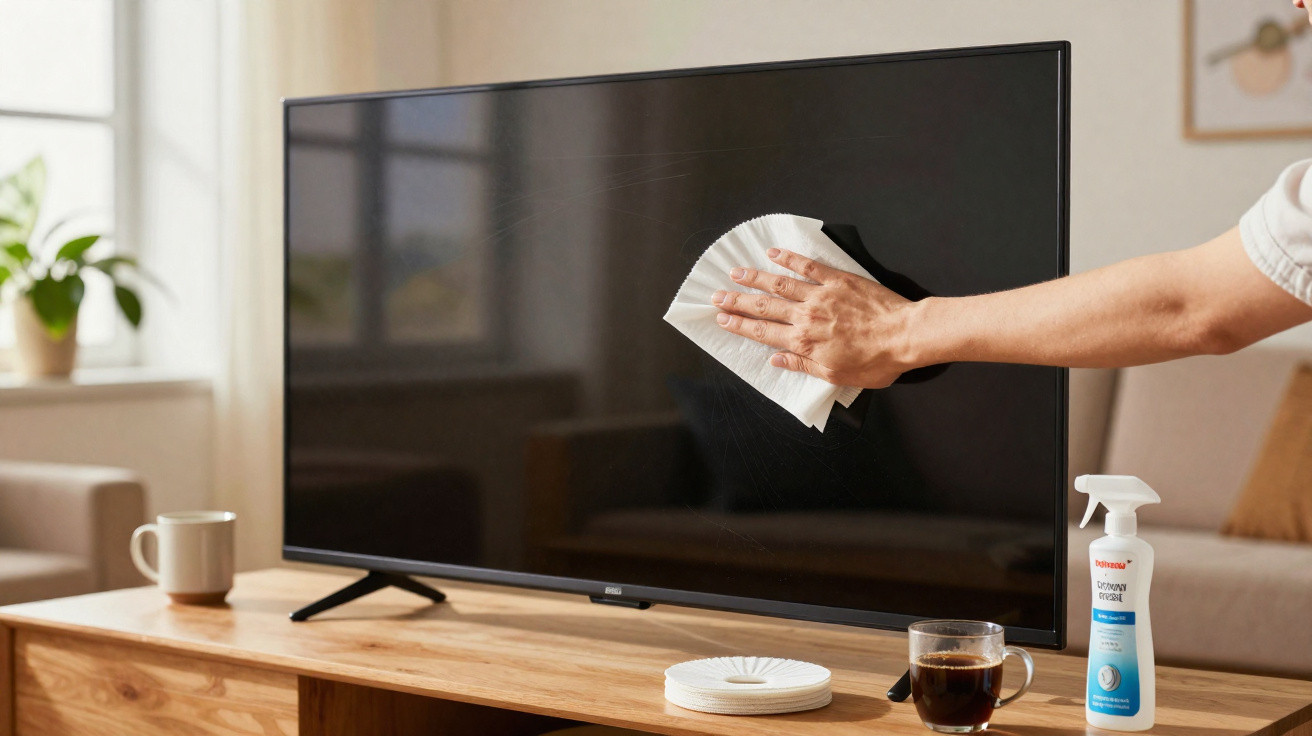
Plenty of people reach for glass cleaner, kitchen roll or pricey specialist cloths - and only later notice fine scratches or dull patches on the screen. The irony is that a safer fix is usually sitting in the kitchen cupboard and costs only a few pence. One ordinary household item can clean delicate displays gently, without chemicals and without putting your TV, laptop or smartphone at risk.
Why screens end up covered in streaks so quickly
Leave the television alone for a few days and the surface can suddenly look grey, lifeless and slightly milky. That isn’t bad luck - there’s a straightforward physical reason behind it.
Modern displays, whether LCD, LED or OLED, build up static electricity. That charge acts like an invisible dust magnet, making tiny airborne particles cling to the surface and form a thin film. In dry rooms - for example in winter when the heating is running hard - the effect becomes noticeably stronger.
Fingerprints add to the problem. Every touch leaves behind a mix of skin oils and tiny bits of dirt. With smartphones and tablets that are handled all day, grease and dust quickly combine into a layer that can be stubborn to remove. Many people respond by scrubbing harder - and that’s where the danger starts.
"Too much pressure or the wrong cleaning products can permanently damage the sensitive surface of a display."
Manufacturers explicitly warn in their manuals against harsh cleaners such as alcohol, ammonia or glass cleaner. These can attack anti-glare coatings, leave blotchy marks, or create a dull haze over time.
The unexpected helper: a paper tool from the kitchen
A practical alternative is often sitting right by the coffee machine: a plain paper coffee filter. It sounds almost too simple, but it works remarkably well.
Why a coffee filter is suitable for screens
Paper coffee filters are made from very fine fibres that create a smooth, soft surface. Unlike kitchen roll or tissues, they don’t contain coarse wood fibres that can cause scratching. An unbleached filter is also largely neutral and is less likely to leave residue behind.
- very soft, so it’s gentle on LCD, LED and OLED panels
- lifts dust and grease rather than smearing it around
- sheds far less lint than many microfibre or cotton cloths
- doesn’t build up as much static, so it attracts less dust
Unlike many pre-moistened wipes sold in chemists, a coffee filter contains no alcohol, fragrances or solvents. Those additives are exactly what can harm the delicate layers on modern displays when used repeatedly.
Tiny cost instead of expensive specialist products
The price difference is hard to ignore. One filter costs around 2p. Even if you use a fresh filter for every clean and wipe down your TV, monitor and smartphone, you’ll usually stay under £1 across an entire year.
For comparison:
- specialist screen wipes: often 10 to 30p each
- screen sprays: often €8 to €15 per bottle
- premium microfibre cloths: several pounds per cloth
In other words, a single pack of coffee filters can, in theory, last a very long time for maintaining a TV screen, a laptop display and multiple smartphones.
"A 2-cent coffee filter can do the same job as a whole arsenal of specialist cleaners - just without the risk to the coating."
Step by step: how to clean screens with a coffee filter
To keep this trick genuinely safe, technique matters. A few basic rules greatly reduce the chance of scratches or marks.
Preparing the device
- Switch the device off and let it cool down.
- If possible, unplug it from the mains or use battery power.
- Remove jewellery such as rings, bracelets or watches to avoid accidental contact with metal parts.
With the screen off, dirt shows up much more clearly, so fingerprints and dust are easier to spot.
How to use the coffee filter
- Use a dry, clean coffee filter (ideally unbleached).
- Fold it flat to create the largest possible smooth, even surface.
- Glide over the screen with very light pressure using gentle circular motions - or wipe from top to bottom.
- Go over areas with a visible greasy film several times carefully; don’t press.
- Once one side looks dirty, refold the filter to expose a clean section.
For particularly stubborn marks, a small extra step can help: lightly dampen a microfibre cloth with distilled water, wipe the area briefly, then immediately buff with the dry coffee filter. This helps the surface dry without streaks.
Mistakes that ruin screens over time
Most display damage doesn’t happen in a single day - it builds up through habitual cleaning mistakes. Knowing what to avoid can save you from expensive repairs.
- Spraying directly onto the screen: liquid can run into the bezel and seep inside. Always spray onto a cloth - or simply stick with the dry filter.
- Kitchen roll and tissues: they may feel soft, but the fibres can create fine scratches. Over time, those scratches become visible.
- A soaking wet cloth: too much moisture causes streaks and may attack protective layers.
- Heavy pressure: scrubbing can cause pressure marks or panel deformation, especially on large TVs and thin OLEDs.
- Old, dirty cloths: dried grime acts like sandpaper. A coffee filter should go straight in the bin after cleaning.
"Basic rule: light pressure, no aggressive products, and it’s better to clean briefly more often than rarely and then with force."
How often should you actually clean screens?
For televisions, a gentle clean every few weeks is usually enough, depending on how dusty the room is. Work monitors often need a bit more attention because they sit closer to the user and are touched more frequently. Smartphones and tablets can be wiped much more often with a filter, as they’re in your hands all day.
If a display is used near the kitchen, a balcony or an open window, you’ll notice build-up sooner. In that case, it’s worth giving the surface a quick once-over with the filter about once a week. Because the method is dry, frequent cleaning doesn’t bring the same downsides as using liquids repeatedly.
What anti-reflective coating and “shimmering” patches are about
Many modern screens have a special anti-reflective layer that reduces glare and improves contrast. This coating is extremely thin and delicate. The wrong cleaners can partially dissolve it unevenly, which later shows up as rainbow-like patches or dull areas.
If you can already see discoloured spots on the display, switch immediately to gentle methods such as a coffee filter and distilled water. Once a coating is damaged, it’s difficult to restore mechanically. In some cases, the best you can do is clean only very carefully and dry in future so the damage doesn’t spread.
When specialist cleaners can still make sense
There are situations where a coffee filter alone may not be enough, for example if:
- there’s a heavy nicotine film on the screen,
- you need to remove sticky residue from stickers,
- old, dried layers from incorrect cleaners are sitting on the surface.
In those cases, check the manufacturer’s handbook. Many brands provide specific guidance on what is still tolerated. When in doubt, choose a product that is explicitly approved for displays - and apply it to a cloth first, never directly to the panel.
Even then, the coffee filter can remain useful: use it after the damp clean for drying and polishing. That helps prevent streaks without adding new risks.
Practical additions for consistently clean displays
If you think a step ahead, you can reduce build-up day to day. A few habits make a big difference:
- Use your phone with clean hands more often - for example, after applying hand cream, give it a quick wipe.
- Don’t keep multipurpose cleaners on your desk that you might repurpose “for convenience”.
- Position TVs and monitors so they aren’t directly in the airflow from windows or radiators.
- For children, use dedicated low-cost cases that are easier to clean than the display itself.
Combine these points with the simple coffee-filter method and you’ll keep a much clearer picture for the long term - on TV, laptop and smartphone alike. A quick reach into the kitchen cupboard is often all it takes to care for high-tech devices gently, without constantly buying new specialist products.



Comments
No comments yet. Be the first to comment!
Leave a Comment