
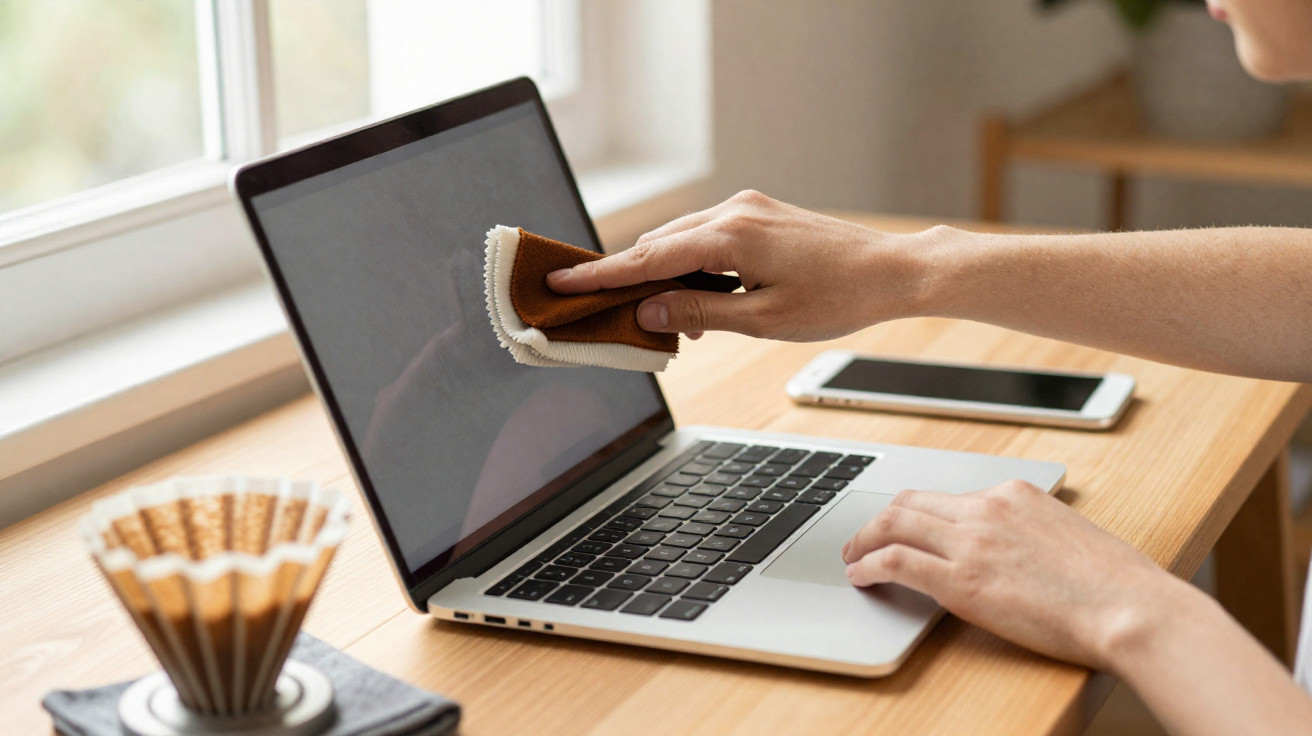
Whether it’s a smartphone, television or laptop, a clean screen has long been seen as a matter of comfort as well as appearance. In many homes, the default solution is a special microfibre cloth or pre-moistened cleaning wipes from the chemist. Yet these are often exactly what cause the frustration: streaks, a grey haze, dust that clings due to static - and, over time, a surprisingly high annual spend that quietly disappears from your account. The good news is that a plain, everyday item from the office kitchen can leave screens clear and smear-free.
Why classic microfibre cloths often fail on screens
Microfibre cloths and disposable cleaning wipes tend to come with big promises: “made for displays”, “streak-free”, or “safe for sensitive surfaces”. In real-world use, many people still end up with fine pale marks, dull films or stubborn spots that don’t seem to shift.
This usually comes down to how the cloths are made - and what’s in the cleaning solution:
- Detergent residue: Pre-moistened wipes contain surfactants, alcohols or fragrances. If they evaporate unevenly, a thin film is left behind.
- White streaking: When the liquid dries too quickly, visible lines form, especially on darker screens.
- Static build-up: Synthetic fibres rubbing over the surface can generate an electrical charge. Dust is then attracted straight back.
- Wear on coatings: Rough or dirty microfibre can, over time, create tiny scratches.
“Many disposable wipes leave more problems than they solve: residues, a dust-magnet effect and an unnecessary hit to the budget.”
The cost can add up too. A pack of around 50 disposable screen wipes usually costs between €4 and €6. If you get through two to three packs a month, it’s easy to land at €50 to €70 a year - just to give a few screens a quick wipe now and then.
Sensitive display coatings can be damaged quickly
Modern smartphones, tablets and many laptop screens have what’s known as an oleophobic coating. This invisible layer helps reduce how strongly fingerprints stick and makes them easier to remove.
Harsh cleaners can attack that layer. Examples include:
- glass cleaners containing alcohol or ammonia
- aggressive disinfectant wipes with chlorine compounds
- household vinegar or lemon cleaners
- general-purpose cleaners and grease-cutting kitchen products
Used regularly, these products gradually break down the oleophobic coating. At first it’s barely noticeable; later, every fingerprint becomes obvious, and the screen can look duller and greasier.
There’s another risk as well: moisture. Many people spray cleaner directly onto the screen or use very wet cloths. Liquid can run in around the edges, reach speakers, microphones or ports, and cause damage over time.
“The safest way to clean screens is dry, non-scratch and contains no aggressive chemicals at all.”
The unexpected star: the unbleached coffee filter
It sounds like a joke at first, but it makes a surprising amount of sense: a simple, unbleached paper coffee filter from the supermarket can work extremely well for cleaning screens.
Why coffee filters work so well on screens
The secret is the paper’s structure. Coffee filters are designed to trap very fine particles without tearing - exactly what you want when wiping a display:
- Micro-fine fibre structure: The filter behaves almost like a very high-quality, dense cloth, reliably picking up dust and grime rather than simply pushing it around.
- Gentle on coatings: The paper is soft enough not to scratch glass, plastic or oleophobic layers.
- No bleaching agents: Unbleached filters contain no optical brighteners or chemicals that might leave residue.
- Hardly any static: Unlike many synthetic microfibres, the filter barely builds up an electrical charge while wiping.
“A dry, unbleached paper coffee filter leaves screens streak-free - without moisture or chemicals.”
How to clean with a coffee filter, step by step
The method is straightforward and takes seconds. This order works well:
- Switch the device off and, if possible, unplug it.
- Take a clean, unbleached coffee filter straight from the pack.
- Fold the filter slightly to create a firm “wiping edge”.
- With very light pressure, wipe the screen in small circular motions.
- Go over more stubborn marks separately once more.
- Dispose of the filter afterwards - or, if it only picked up a little dust, keep it for next time.
In many cases, fingerprints, dust and light smears disappear after the first pass. If a screen is particularly greasy - for instance, with kitchen oil marks - using a second filter can help.
What a coffee filter can save you
A quick look at pricing shows how big the potential saving is. A pack of 100 unbleached coffee filters often costs under €1. Even if you clean every device in the household weekly, one pack typically lasts a year or longer.
| Product | Estimated annual use | Estimated cost per year |
|---|---|---|
| Disposable screen wipes | 24–36 packs | €50–€70 |
| Unbleached coffee filters | 1–2 packs | approx. €1 |
That works out at well over 90% savings. For many households, one small pack of filters replaces an entire stash of specialist cloths, sprays and wipes.
Which screens can be cleaned with a coffee filter
This trick suits almost all common display types:
- smartphones and tablets
- laptop and PC monitors
- televisions using LCD, LED or OLED technology
- smartwatches and fitness trackers with glass displays
- touchscreens on kitchen appliances or in cars
Only with very soft plastic screens - for example, on some older sat-nav units or low-cost children’s tablets - is it worth testing on an inconspicuous area first. In most cases, the filter works just as well there as it does on glass.
When a lightly dampened cloth still makes sense
Some dirt won’t shift with a dry filter alone - such as food residue, dried-on droplets or greasy spots. In those cases, a second step helps:
- Lightly dampen a very soft microfibre cloth with distilled water.
- Gently loosen the mark without scrubbing.
- Immediately wipe over with a dry coffee filter until the surface is completely dry.
This keeps contact with liquid brief, lowers the risk of moisture damage, and helps prevent streaks.
How often should you clean screens?
The ideal frequency depends on how you use your devices. Someone typing on the go will need to clean a smartphone display more often than someone who only uses their phone occasionally.
As a rough guide:
- smartphone: every 2–3 days, daily with heavy use
- tablet: about once a week
- laptop and PC monitors: every 1–2 weeks
- television: every 2–4 weeks, depending on dust
If you keep a coffee filter next to the television, desk or charging station, a quick clean becomes an easy habit.
Common screen-cleaning mistakes - and how the coffee filter helps
Many people repeat the same cleaning mistakes without realising. A coffee filter prevents some of them automatically, and a few others are easy to avoid with small changes:
- Spraying liquid directly onto the screen: The dry method removes this risk entirely.
- Using too much pressure: With paper, it’s easier to feel how little force is needed - heavy rubbing isn’t necessary.
- Using the wrong cloths: Rough tea towels or paper kitchen roll stay in the cupboard because the coffee filter works far better.
- Dirty microfibre cloths: Filters come fresh from the pack, so they don’t drag old dust or grit over the surface.
If you also follow a few basics - switch devices off while cleaning, avoid wiping into port openings, and don’t use harsh cleaners - you’ll protect your tech over the long term.
Why this simple trick is especially appealing right now
Electronics are getting more expensive, and repairs are too. At the same time, many people are keeping smartphones and laptops for far longer than they used to. Against that backdrop, it feels almost absurd to treat high-end kit with aggressive products or worn cloths just to remove a few fingerprints.
Switching to unbleached coffee filters solves several issues at once: screens stay clear, delicate coatings last longer, and the cleaning budget drops to pennies. You also create less waste, because there’s no need for plastic packaging from disposable wipes or special spray bottles.
Next time you make coffee, try taking a filter and running it over your phone instead of putting it in the machine - you’ll notice the difference immediately: no smeary film, no pale streaks, just a clear screen, without a single “specialist product” from the cleaning aisle.
Comments
No comments yet. Be the first to comment!
Leave a Comment