
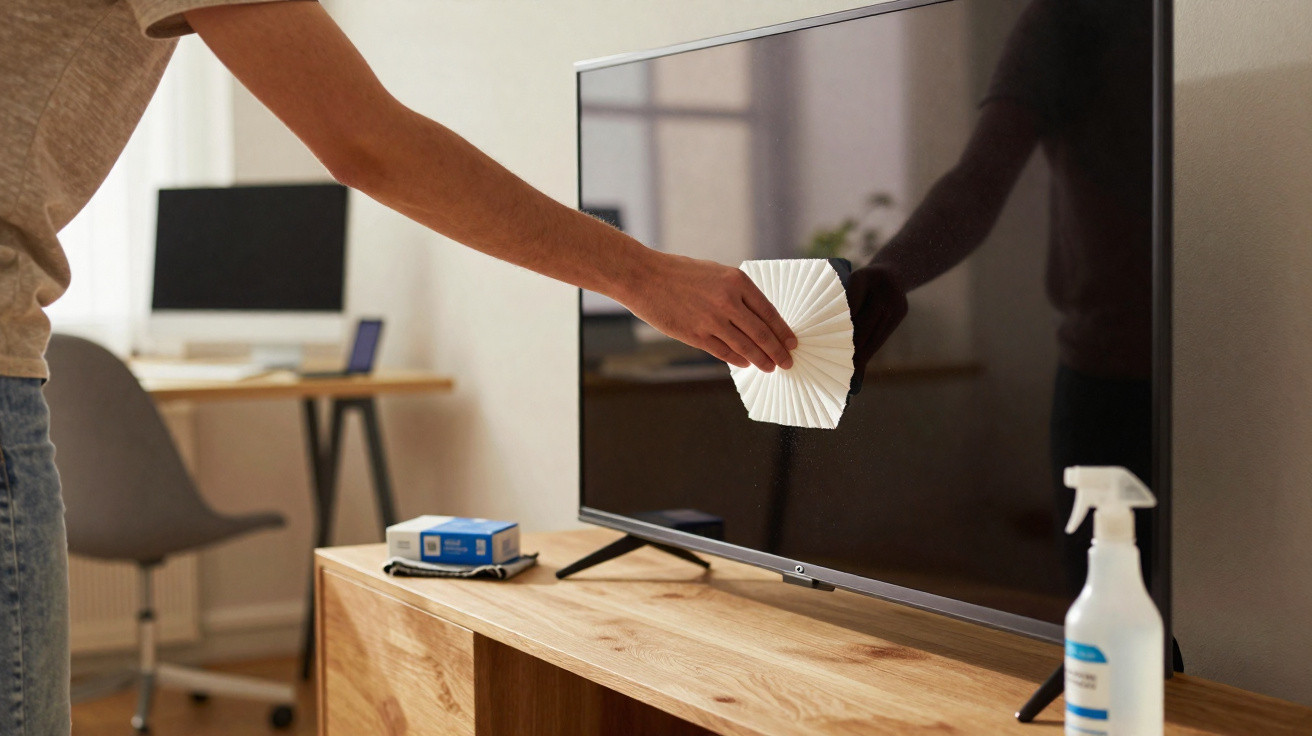
Manufacturers advise against alcohol, ammonia and glass cleaner because modern LCD, LED and OLED displays are highly sensitive. The answer is closer than you might think: a tiny paper kitchen staple that costs only a few cents, cleans gently and doesn’t leave scratches.
Why screens get smudged so quickly
After only a few days, a greyish film can appear. Displays build up static charge and attract airborne particles like a magnet. In dry winter air, this effect becomes stronger and the picture can look less punchy. Then there are fingerprints: skin oils and tiny residues settle into micro-textures, especially on touchscreens. If you scrub hard to remove them, you may end up with micro-scratches or pressure marks.
“A dry paper coffee filter lifts dust and grease without attacking the anti-reflective coating - with no alcohol or ammonia at all.”
The 2-cent kitchen helper: paper coffee filter
Unbleached paper coffee filters have a very fine, uniform fibre structure. They feel soft, shed very little lint and build up less static than many cloths. That means they pick up dust and skin oils reliably instead of merely smearing them around. They are also chemically neutral, so no harsh additives come into contact with delicate coatings.
Why not kitchen roll or glass cleaner
Kitchen roll, tissues and coarse fabrics contain tougher fibres. Over time, these can leave marks, particularly on coated or matte surfaces. Glass cleaner, on the other hand, often contains ammonia or alcohol. Substances like these can damage anti-reflective layers, which may then become blotchy or show streaks more easily.
Step by step: how to clean a TV, monitor and smartphone
- Switch the device off and let it cool; for televisions, it’s better to unplug it.
- Wash your hands and remove rings and bracelets to avoid accidental contact with the surface.
- Fold a clean, dry paper coffee filter flat so you have an even wiping surface.
- Wipe very lightly with no pressure - either in gentle circles or from top to bottom.
- For stubborn greasy marks, slightly moisten a microfibre cloth with distilled water, loosen the mark, then follow with the dry coffee filter to finish without streaks.
- Throw the filter away after use; don’t reuse it once it’s dirty.
Mistakes you can easily avoid
- Don’t spray any cleaner directly onto the display.
- Don’t use kitchen roll, tissues or abrasive fabrics.
- Don’t press on the surface, especially with OLED and large LCD panels.
- Don’t use tap water, as limescale can leave edges; use distilled water only if needed.
What your wallet says: costs compared
| Product | Price per unit (approx.) | Risk to coatings | Suitability |
|---|---|---|---|
| Paper coffee filter (unbleached) | 0,02 € | Very low | Very good for dust and grease |
| Specialist wet wipe | 0,10–0,30 € | Medium, depending on solvent | Acceptable, but more expensive long-term |
| Spray “for screens” | 8–15 € per bottle | Varies, depending on ingredients | Only with a microfibre cloth, use sparingly |
| Kitchen roll/tissue | Cheap | High, risk of scratches | Not suitable |
What helps with stubborn marks
Fingerprints with lots of sebum can cling stubbornly. The trick: lightly dampen a microfibre cloth with distilled water - barely more than a hint of moisture. Loosen the mark, then let the dry coffee filter absorb any remaining moisture. This stops the residue from drying into streaks. Don’t add extras such as vinegar, lemon or glass cleaner.
How to keep the display cleaner for longer
- Keeping humidity between 40 and 60 per cent reduces static build-up.
- Hold the display by the frame only, keeping fingers off the panel.
- Use a protective film or glass on your smartphone; it can be cleaned separately or replaced.
- Cleaning routine: shortly before going to bed, switch the screen off and dust it with the filter.
- Store filters protected from dust, for example in a small envelope, so they stay clean.
Useful background on the technology
Static charge forms when dry air and friction come together. Plastic bezels and display surfaces can accumulate charge, which attracts dust particles. A paper coffee filter works like a gentle brush with absorbency: its fine fibres lift particles and grease rather than pushing them across the surface.
Anti-reflective coatings are microscopically thin. They reduce reflections and improve black levels. Aggressive chemicals can break the bonds in these layers, leading to effects such as rainbow patches or dull areas. Once that type of damage appears, it is very difficult to reverse.
Tips for different devices
Television
On large surfaces, wipe in lanes from top to bottom. If the set is wall-mounted, tilt the screen slightly downwards so dust is less likely to settle again immediately. Work without pressure at all costs, otherwise you risk “clouding” or pressure marks in the panel.
Office monitor
Before you start, quickly discharge static by touching an unpainted radiator or the metal case of the PC. This reduces the charge so less dust clings afterwards.
Smartphone and tablet
Remove the case and avoid speaker and microphone openings so no fibres get inside. On an iPhone or Android device with protective glass, a final dry pass with the coffee filter can give a genuinely glossy finish.
Risks and limits
A coffee filter won’t remove scratches or burn-in. What can look like polishing is usually just the removal of greasy films. With matte, heavily textured surfaces, never scrub. If you are unsure, test on an edge area first. Always prioritise the manufacturer’s guidance - especially for specialist coatings in professional equipment.
Practical extra tricks
- Using a second, fresh filter purely for the final buff adds the last bit of shine.
- If there’s lots of dust, blow it off first with a soft air blower, then wipe.
- If you clean often, split the filter in half: it saves material while staying effective.
“A few seconds, zero chemicals, costs only cents: the humble coffee filter from the kitchen cupboard delivers a clear view on TV, monitor and smartphone.”
For tech enthusiasts, one term to place it: “sebum” is the natural skin oil that leaves marks on touch surfaces. It binds with dust to form a thin film. This is exactly where the dry paper filter excels, because it absorbs grease instead of merely moving it around.
Anyone who combines the method - gently loosening with minimal moisture, immediately drying, and dusting regularly - can keep sensitive displays looking crisply clear for a long time. All without expensive specialist products.




Comments
No comments yet. Be the first to comment!
Leave a Comment