
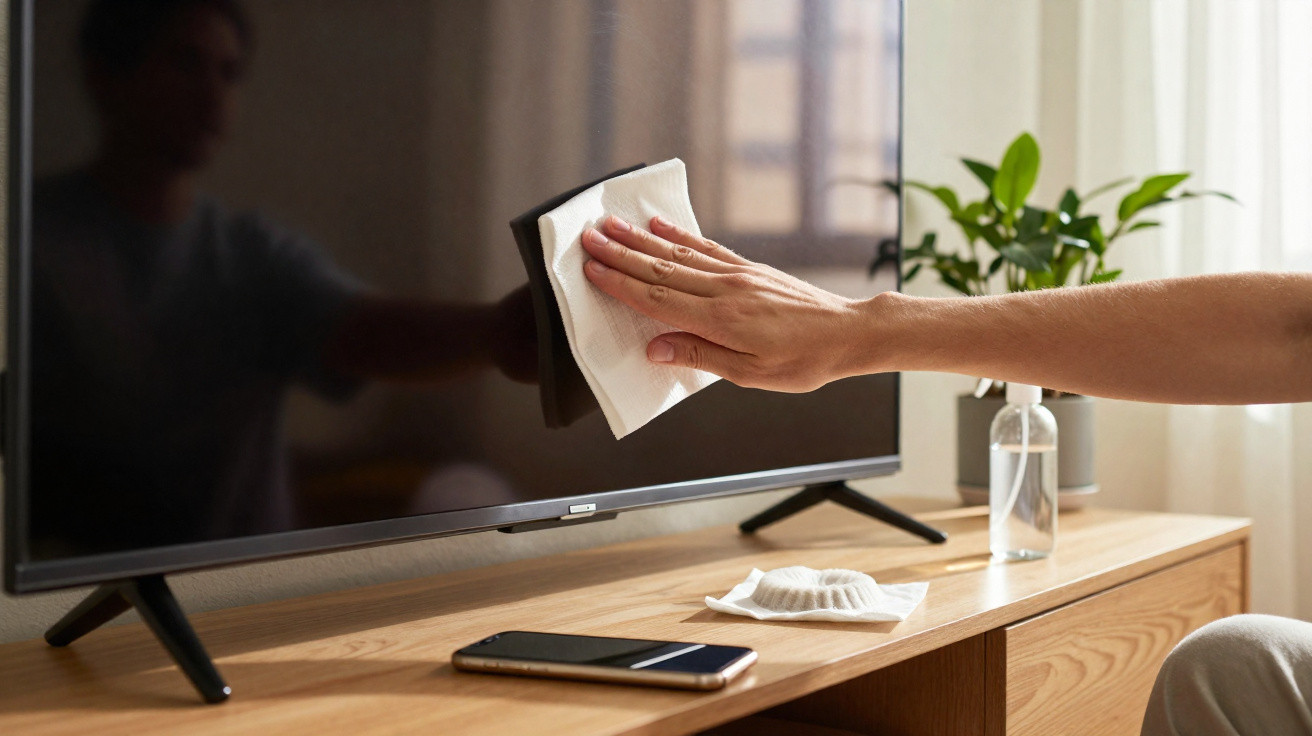
Living-room TV, laptop, home-office monitor, tablet, smartphone: these days, at least one screen is glowing in almost every room. And nearly everywhere it’s the same story-smears, fingerprints and a film of dust. Many people reach for glass cleaner, kitchen roll or harsh specialist products, only to gradually damage delicate surfaces. One tiny disposable item from the kitchen solves the problem more gently, more cheaply and with surprising effectiveness.
Why screens constantly get smeary and dusty
Leave your television untouched for a few days and you’ll notice it immediately: the surface starts to look as though a grey haze has settled over it. That isn’t just “ordinary” household dust-it’s also down to a physical effect.
Modern displays can build up a slight electrical charge. This static charge acts like a magnet for tiny airborne particles. In dry, centrally heated air, the effect becomes stronger. The particles cling to the surface, won’t simply blow off, and over time they dull the contrast of the picture.
Fingerprints add to the problem. Every touch leaves behind skin oils and microscopic traces of dirt. On touchscreens, that happens constantly. When this greasy film mixes with dust, it creates a stubborn layer. If you then scrub or press hard, you risk fine scratches or pressure marks in the sensitive surface layer.
"The combination of dust and skin oils is the real enemy of sharp, brilliant images-not the dirt alone."
The obvious conclusion is that you need a material that absorbs grease, traps dust, won’t scratch, and-crucially-doesn’t introduce aggressive substances of its own.
The surprising tool: a simple coffee filter
That exact combination is found in something most households already have in a cupboard: the classic paper coffee filter. No high-tech gadget, no special brand-just the everyday disposable item from the kitchen.
Unbleached paper filters are made from an extremely fine fibre mesh. The fibres are soft and smooth, with no sharp particles that could scratch the surfaces of LCD, LED or OLED panels. They lift and hold grease and dust rather than just pushing grime around.
Compared with many coarser cloths or kitchen roll, the paper doesn’t fall apart straight away, sheds very little lint, and tends to build up less static. And unlike pre-moistened screen wipes, you’re not putting solvents, alcohol or fragrances onto the glass or any coating.
"A dry coffee filter works like an ultra-fine, neutral microfibre cloth-only for the price of one or two cents."
Cost is another clear win for the kitchen approach: a filter is typically under €0.02. Even if you use a fresh one for every clean and routinely wipe down your TV, monitor and smartphone, you’ll usually stay well below €1 over the course of a year. Dedicated screen wipes can easily cost five times as much per use, and spray bottles often run into double-digit sums.
Step-by-step: how to clean your display with a coffee filter
To make sure the trick is genuinely safe and streak-free, you only need a few simple-but important-steps.
Preparation: protect the device and avoid mistakes
- Switch the screen off and, if possible, unplug it from the mains.
- Let the device cool down-never clean a hot display.
- Wash your hands and remove jewellery such as rings or bracelets.
- Have a new, dry paper coffee filter ready.
Having the device switched off helps in two ways: you can spot marks and streaks much more easily, and with the electronics inactive there’s less static charge-so the screen attracts less dust.
The right wiping technique with a coffee filter
Clean the screen carefully:
- Fold the filter flat so you have a smooth surface.
- Glide over the screen with barely any pressure.
- Use either circular motions or strokes from top to bottom.
- For heavy dust, do a light first pass, then polish again.
The key is not to “scrub”, but to let the filter slide gently. The filter will pick up dust and oils on its own; pressing too hard only puts unnecessary stress on the sensitive layers beneath the glass.
What to do with especially stubborn marks
For dried splashes or very greasy patches, a dry filter on its own may not be enough. In that case, a two-stage method works best:
- Lightly dampen a clean microfibre cloth with a minimal (!) amount of distilled water.
- Loosen the mark with very gentle pressure.
- Then wipe again with a new, dry coffee filter until no streaks remain.
Avoid tap water, as it can leave limescale marks. Cleaning products, glass cleaner or alcohol are off-limits for modern anti-reflective coatings.
These common cleaning mistakes slowly ruin screens
A lot of damage to televisions, laptops and smartphones is self-inflicted. Just a few bad habits can permanently affect a sensitive surface.
| Mistake | Result |
|---|---|
| Spraying glass cleaner directly onto the screen | Liquid can seep into the casing; coatings may be attacked |
| Using kitchen roll, paper tissues or rough cotton cloths | Micro-scratches that show under light and reduce contrast |
| Rubbing hard on greasy marks | Pressure marks, uneven brightness, long-term panel damage |
| Using alcohol- or ammonia-based cleaners | The anti-reflective layer gradually degrades; the display looks milky and dull |
Using a dry coffee filter avoids many of these risks because there’s no liquid involved, no harsh chemicals, and the method naturally encourages a light touch.
How often should you clean a TV, monitor and mobile?
There’s no one-size-fits-all rule, but a few rough guidelines help:
- Living-room TV: roughly every two to four weeks, depending on dust levels.
- Home-office PC monitor: once a week, as it’s often used for longer periods.
- Smartphone: as needed-typically every few days, or daily with heavy use.
If you have severe allergies or live in a very dusty environment, you may want to use a filter more often. Even then, the cost stays negligible.
Why manufacturers warn against aggressive cleaners
Many user manuals explicitly advise against alcohol, ammonia and everyday household sprays. The reason is the delicate layering of modern panels. Above the display itself sit multiple layers: a diffuser, polarising layers, protective glass and usually a specialised anti-reflective (anti-glare) coating.
That top layer is particularly sensitive to chemicals. Once it’s damaged, the image can look washed out, reflections increase, and colours lose depth. Small matte patches that won’t disappear are often early signs of this kind of damage. A dry coffee filter sidesteps the issue because it is chemically neutral and works only mechanically-and very gently at that.
Real-world examples: where the coffee filter trick is especially useful
It’s most worthwhile wherever screens are expensive or difficult to replace:
- large smart TVs in the living room or home cinema
- gaming monitors with high refresh rates
- ultrabooks with sensitive, glossy panels
- tablets children often use with sticky fingers
- smartphones with high-resolution OLED displays
The filter is also helpful on older devices that already have minor scratch wear. It reduces the chance of roughening the existing micro-surface further with the wrong products.
More tips for consistently clear, protected screens
A single cleaning hack is rarely enough if the environment works against you. If you want to keep your displays clear for as long as possible, a few simple habits make a difference:
- Don’t place devices right next to radiators or windows, where dust and sunlight have a stronger impact.
- When dusting a room, clean screens last so you don’t immediately stir dirt back onto them.
- Clean touchscreens with the display unlocked more often, so marks are easier to spot.
- Remind children not to handle tablets with wet or sticky hands.
If you’re very particular, you can apply a screen protector. Scratches will hit the film first, not the panel. The coffee filter trick also works on such films, provided they aren’t textured or matte-coated.
Perhaps the biggest advantage of the coffee filter method is that it lowers the barrier to doing it properly. There’s no need to buy an expensive specialist product, no complicated instructions, and no fear of chemical damage. One quick reach into the kitchen cupboard is enough-and the image looks clear, high-contrast and well cared for again.


Comments
No comments yet. Be the first to comment!
Leave a Comment