
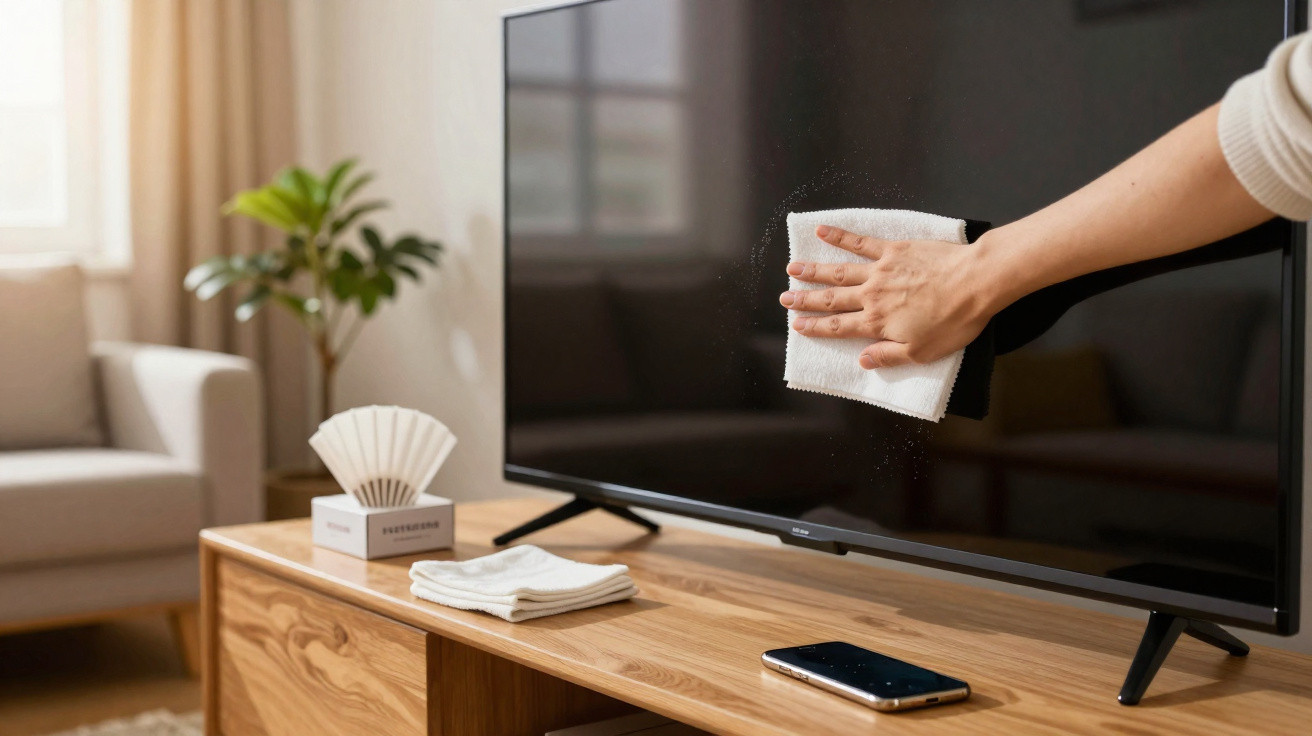
Television in the living room, laptop, tablet, smartphone: screens shine everywhere, and smears build up everywhere. Many people instinctively reach for glass cleaner, kitchen roll or pricey specialist wipes - and in the long run they can damage the delicate surface. A plain, everyday item from the kitchen that costs only a few cents tackles the problem far more gently than any spray ever could.
Why screens get dirty so quickly and start to look dull
After just a few days without cleaning, a display can look flat and grey. That is not only down to neglecting a cleaning routine - it is also physics. The surface develops a mild static charge, acting like an invisible magnet for fine dust in the air.
In dry rooms - for example in winter when the heating is on frequently - this effect becomes noticeably stronger. Tiny particles settle and effectively cling to the surface, reducing contrast and image brilliance. The picture looks more washed out, black turns into dark grey, and colours lose their vibrancy.
Then there are the familiar fingerprints: every touch leaves skin oils and microscopic greasy residues behind. Displays you handle constantly - smartphones, tablets, touchscreen laptops - respond as though they are a dust magnet running nonstop. Grease plus dust creates a smeary film that can be stubborn to remove.
"Anyone who then scrubs hard with kitchen roll, a tissue or glass cleaner risks micro-scratches over time and can damage the anti-reflective coating."
This is exactly where a helper comes in - something most people already have in the cupboard next to the coffee machine.
Unexpected hero: how a coffee filter cleans screens gently
A simple paper coffee filter is the straightforward route to streak-free displays. It sounds almost too basic, yet it works remarkably well. Unbleached filters in particular have a very fine, even structure without harsh fibres. That texture lifts grime away rather than just pushing it around.
Unlike kitchen roll or tissues, a filter is less likely to tear, sheds very little lint and is unlikely to scratch the surface. At the same time, the paper is chemically neutral - it contains no additives that could react with the sensitive coatings found on LCD, LED or OLED panels.
"The filter absorbs dust and grease like a sponge, without pressure and without aggressive chemicals - ideal for TV, monitor and smartphone."
Price comparison: coffee filters versus specialist cleaners
On cost alone, the filter beats almost any dedicated product. One piece costs, on average, under two cents. Even if someone uses a separate sheet for the television, monitor and phone, annual usage typically amounts to only a few dozen filters - well under one euro.
Moist wipes marketed "for displays" are usually priced between ten and thirty cents each. Cleaning sprays designed specifically for screens often start at around eight euros and can quickly reach double figures. Many of these products also contain alcohol or solvents, which can attack surface coatings over time.
- Kaffeefilter: unter 0,02 € pro Stück
- Display-Feuchttücher: ca. 0,10–0,30 € pro Tuch
- Spezial-Sprays: etwa 8–15 € pro Flasche
Using a kitchen coffee filter delivers a double saving: money, and the frustration of patchy or scratched displays.
Step by step: how to clean your TV, monitor and phone properly
The coffee-filter approach only works at its best if you use it correctly. The good news is that it takes no practice and no technical know-how - just a few simple rules.
Preparation: safety first
Before you start, always switch the device off completely and let it cool down. A dark, cool screen shows dirt more clearly, and it is kinder to the electronics. If you want to be especially cautious, unplug it as well or disconnect the power supply.
It is also sensible to remove jewellery such as rings or bracelets so that no metal accidentally touches the surface. Then wash your hands briefly and dry them thoroughly to avoid adding fresh greasy marks.
The right wiping technique with a coffee filter
Now for the core technique:
- Take a dry paper coffee filter (unbleached if possible).
- Fold the filter flat to create a wide, smooth surface.
- Rest it lightly on the screen without applying pressure.
- Move it gently from top to bottom, or in soft circles, across the display.
The filter will pick up dust and fingerprints after just a few passes. For stubborn marks - such as dried-on splashes - a different order works better: first use a minimally damp microfibre cloth, ideally with distilled water only, then polish afterwards with a fresh, dry coffee filter.
"What matters is not the pressure but the repetition: ten gentle passes are better than one hard scrub."
Mistakes screen owners can avoid
For convenience, many habits from cleaning windows get applied to displays as well - and that can cause lasting damage. Common pitfalls are easy to sidestep.
- Do not spray water or cleaning product directly onto the display. Liquid can seep into edges, speaker openings or buttons.
- Avoid kitchen roll, tissues, towels and rough fabrics. Their fibres can cause micro-scratches.
- Steer clear of strong glass cleaners, alcohol, ammonia and harsh household products. Many manufacturers explicitly warn against these in their manuals.
- Always use the filter dry. Moisture softens the paper and increases linting.
- Do not save a used filter. It holds dirt - next time you would simply spread it back over the screen.
Invisible micro-scratches in particular accumulate over months and years. They scatter light, making the image look hazy even when the screen is technically clean. If you want to avoid that, it is best to rely on gentle methods from the outset.
How often should you clean screens?
The ideal frequency depends on the device and how you use it. A television in the living room usually only needs a thorough clean every few weeks, or a little more often if the room is especially dusty. Smartphones, by contrast, are handled countless times each day, so the grime layer forms much faster.
If you use your phone several times a day, you can plan to use the filter method once a week and, in between, wipe with a lightly damp microfibre cloth. For home-office monitors, a cycle of ten to fourteen days is often enough. The key is not to wait until the screen is visibly greasy - by then, cleaning inevitably becomes more of a chore.
Why modern displays are so sensitive
Many people wonder why older CRT televisions had glass fronts you could almost scrub with cream cleaner, while today’s devices seem far more fussy. The difference lies in the construction: modern screens typically use a multi-layer build with ultra-thin coatings.
These include anti-reflective layers, and in some cases blue-light filters or special finishes designed to reduce fingerprints. Such layers are only a few micrometres thick and are sensitive to both chemicals and mechanical pressure. The wrong cleaner can slowly break down the coating, cause marks, or make the surface shine unevenly.
That is why many manufacturers recommend nothing more than a lightly dampened cloth with water - with no additives - in their manuals. A coffee filter fits neatly with that guidance because it works without any product at all, while reliably removing the dry dust film.
Practical extra tips for consistently clear displays
If you want your screens to look like new for as long as possible, combine the coffee-filter method with a few simple habits. Avoid placing devices right next to radiators, where more dust is stirred up. Ventilate regularly to reduce indoor dust levels.
Keeping a bit of distance from open windows or balcony doors can help too, as incoming road dust can otherwise settle straight onto the display. Many people keep a small supply of filters in the study or next to the television - so gentle cleaning does not get forgotten when the next layer of dust appears.
Try this simple approach once and it becomes obvious: modern screens do not need harsh chemicals or expensive specialist products. An inexpensive coffee filter, a little patience and gentle movements are enough to make TV, monitor and smartphone displays look clear and brilliant again.
Comments
No comments yet. Be the first to comment!
Leave a Comment